
PDF & signing
Edit, mark up, organise, fill, and sign PDFs without paying for another everyday PDF tool.
Use one construction workspace for documents, project coordination, QS work, client access, and AI, instead of paying for several tools that do parts of the same job.
Edit, mark up, organise, fill, and sign PDFs without paying for another everyday PDF tool.
Give clients controlled access to released drawings and documents in a portal they can return to.
Keep files, RFIs, tasks, field records, inspections, programmes, and approvals connected.
Ask questions about the project and see the files and records used to answer them.
Edit, mark up, fill, sign, and measure documents in Buildria, so your team does not have to move the same file between several apps.
Edit and organise PDFs
Built into Quantify
Often handled in Acrobat or Bluebeam
Mark up and review drawings
Connected to the project record
Often separated from project context
Fill and sign
Names, dates, typed, drawn, uploaded, or saved signatures
A separate signing tool for basic workflows
Continue into takeoff
Measure in the same workspace
Export or reopen the file elsewhere
Give clients one secure place to find the latest approved drawings and documents, instead of sending new download links whenever something changes.
With a temporary transfer
WeTransferStep 1
The file leaves the project record as a separate transfer.
Step 2
The recipient has a limited window and another folder to manage.
Step 3
Expired or lost links create another email and another copy.
With Buildria
Invite the client, release the approved drawings and documents they should see, and give them one place to return throughout the project.
WeTransfer remains useful for one-off public transfers. The strongest Buildria value is recurring project exchange with known clients and external parties.
Manage project files, tasks, decisions, progress, and follow-ups together, instead of paying for separate storage and task-management tools.
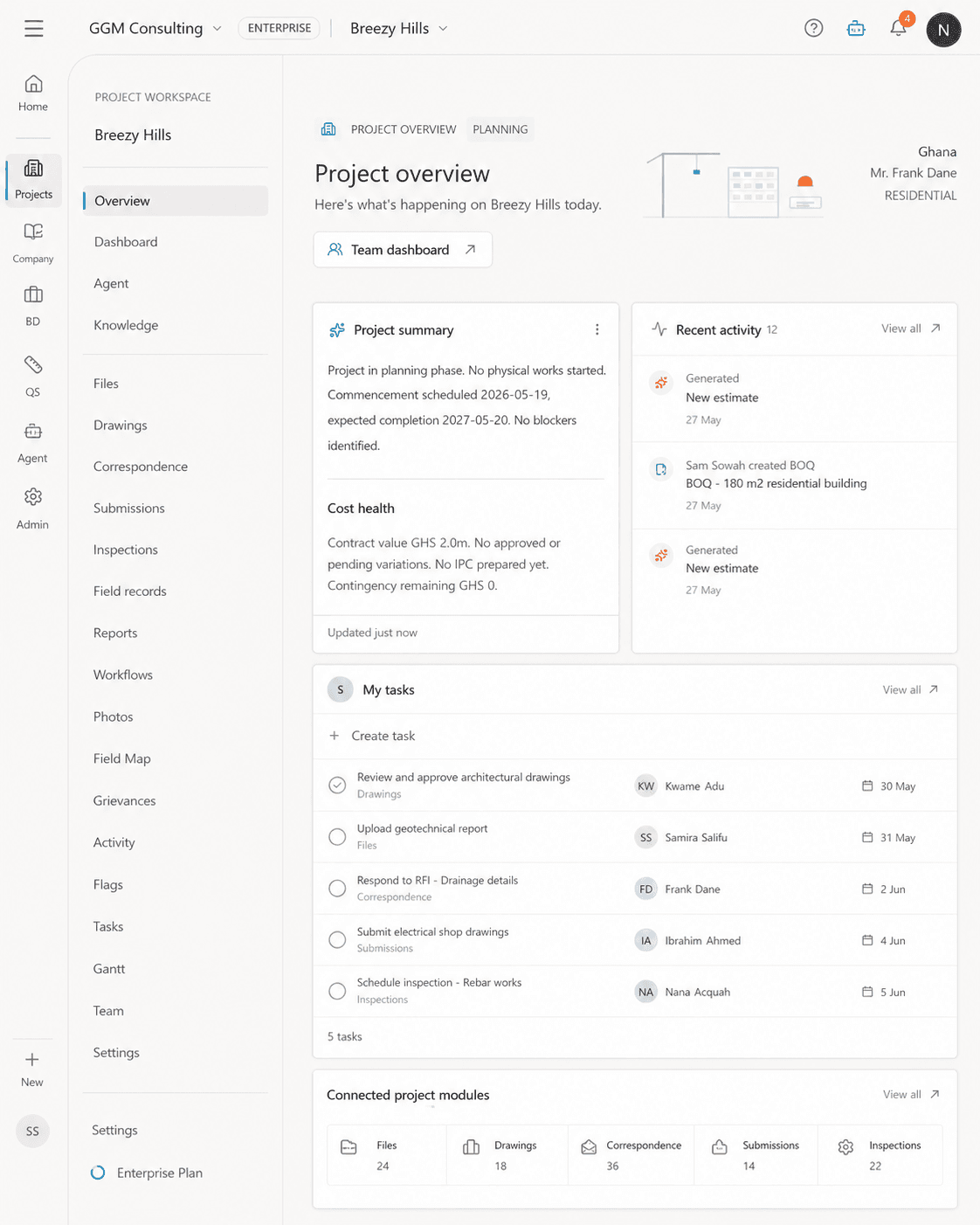
Keep documents, current drawings, revisions, photos, and linked evidence with the project.
Assign work, retain responses, and keep the action connected to the record that created it.
Capture inspections, reports, stakeholders, and controlled outside participation without opening the whole workspace.
Compare progress, tasks, milestones, evidence, and blockers, then prepare reviewable lookaheads.
Measure drawings, build estimates, review rates, and prepare BOQs in one place, without copying the same information between PDF tools and spreadsheets.
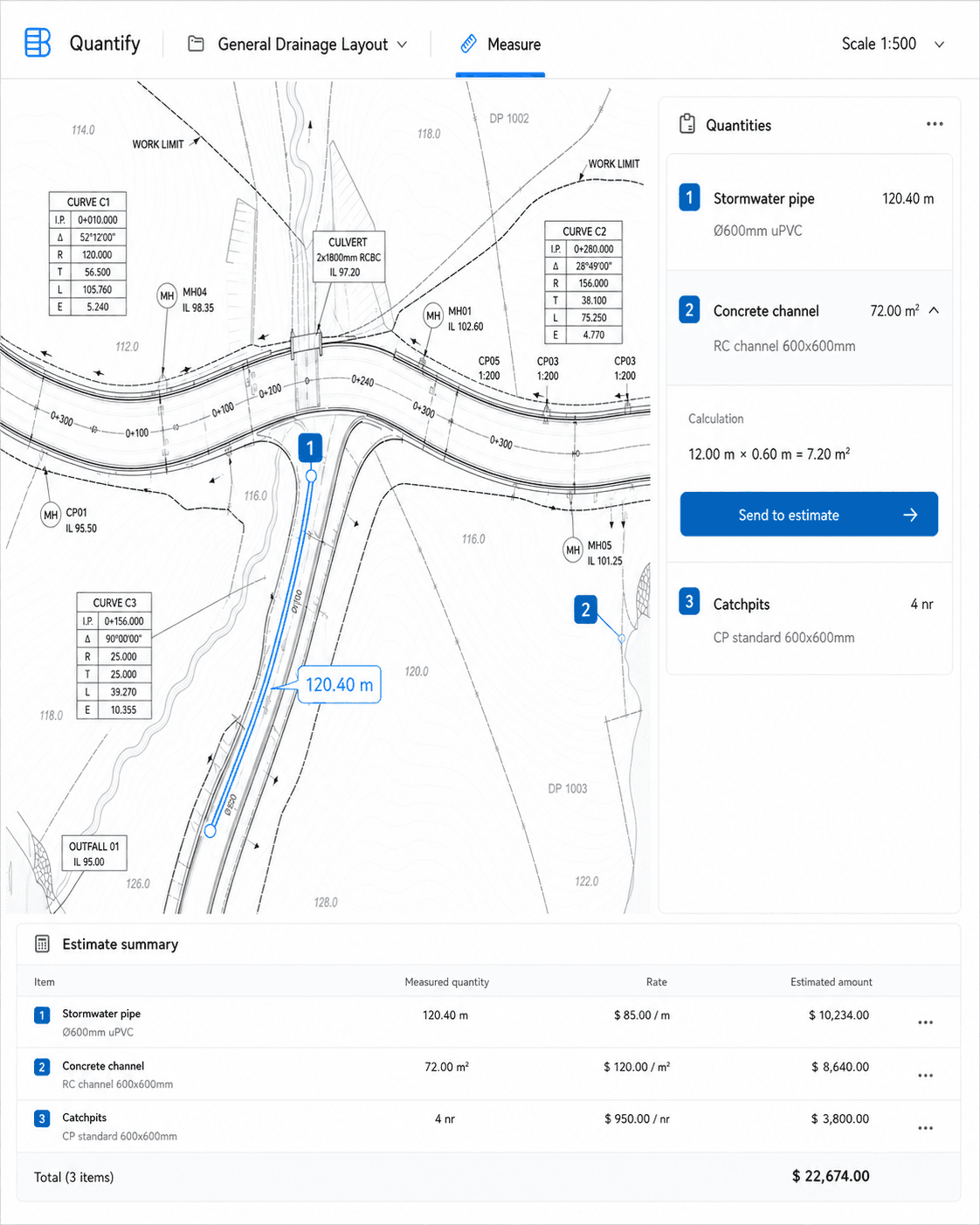
Measure drawings and models, classify outputs, and retain the evidence behind quantities.
Build structured estimates with Ghana rate context, explicit assumptions, and controlled overrides.
Import, edit, calculate, review, and export bills of quantities without losing the original basis.
Keep drawings, quantities, rates, assumptions, estimates, and BOQs connected for professional review.
Ask questions about your project without uploading the same background to a separate AI tool. Buildria shows the sources and respects each person’s access.
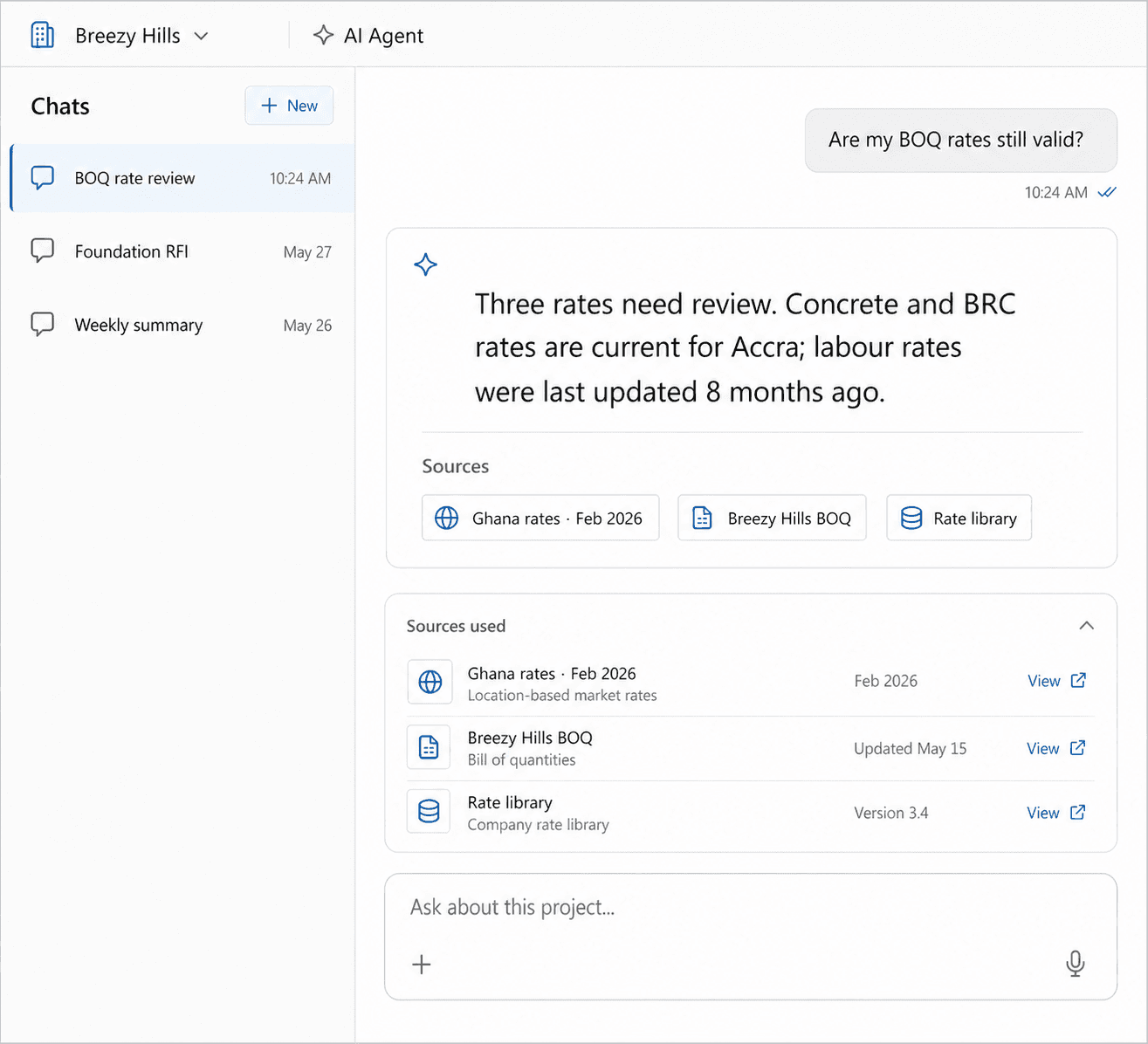
Ask across the files, drawings, RFIs, reports, programmes, rates, and activity you are allowed to access.
Review full Word documents or selected text and prepare comments or optional tracked edits.
Keep the supporting record visible instead of moving sensitive project context into disconnected prompts.
Turn findings into briefings, RFIs, tasks, assignments, and follow-up inside the same workspace.
Choose a team size to compare the monthly and yearly cost of separate software with Buildria at GH₵250 per person per month.
Choose a team size
See what your team could spend on separate tools, then compare it with Buildria at GH₵250 per person each month.
Common separate subscriptions
3 people
Bluebeam Core, Asana Starter, ChatGPT Business, and one Project Plan 3 seat
Estimated saving each month
GH₵1,646
Estimated saving over 12 months
GH₵19,749
About 69% less than the separate subscriptions shown here.
Illustrative comparison based on Buildria at GH₵250 per person per month, public annual prices for the separate tools shown, and the Bank of Ghana USD/GHS reference rate of 11.66 checked in August 2026. Final Buildria pricing may change. Taxes, discounts, add-ons, implementation, and switching costs are not included. You save only when Buildria replaces subscriptions your team would otherwise pay for. Third-party names and marks belong to their owners and do not imply affiliation.
Start with the workflows your team already needs, confirm the fit, and remove overlapping subscriptions deliberately.