
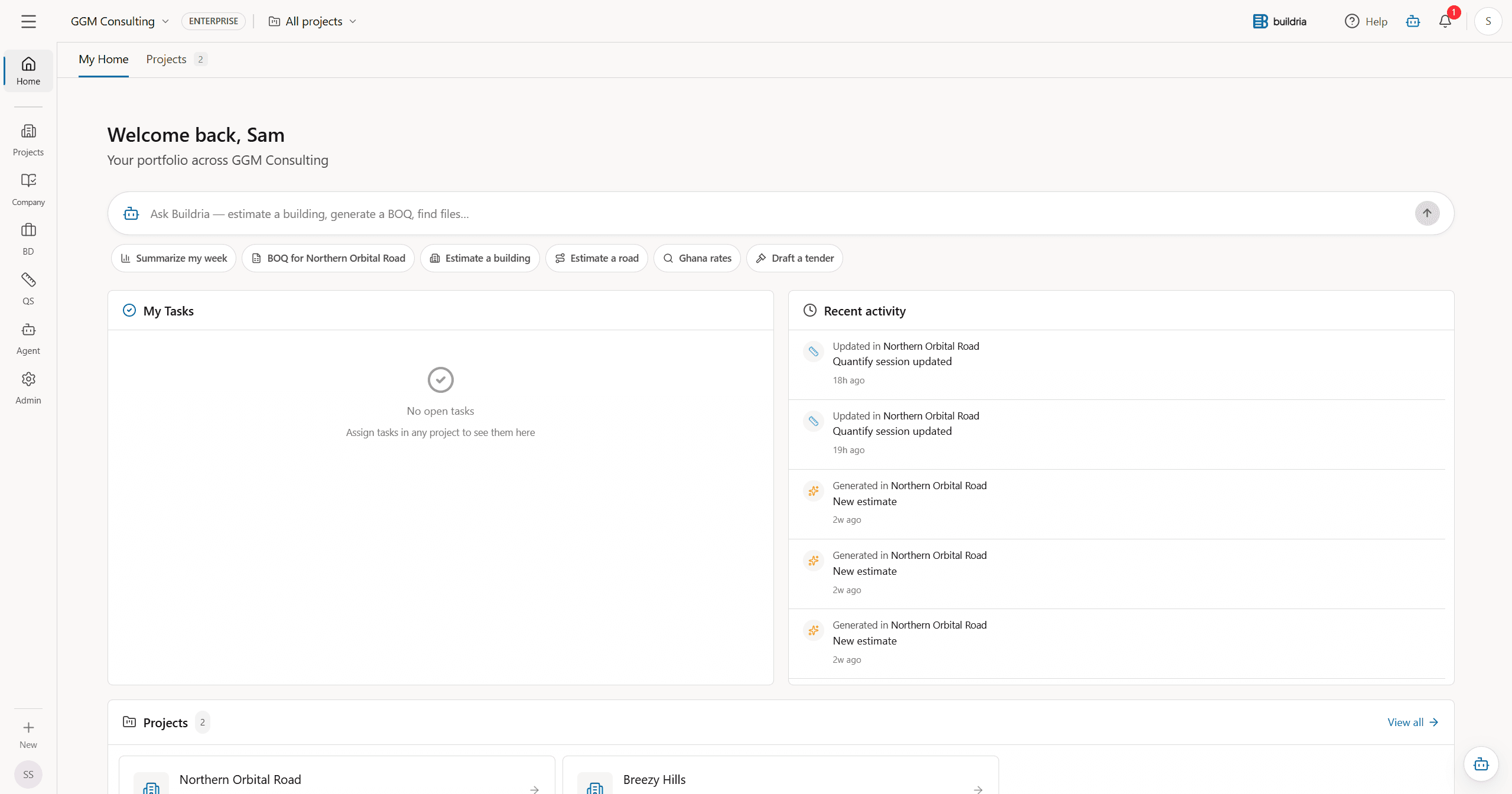
Run every project
from one clear,
connected workspace.
Keep project records, site updates, and RFIs easy to find.Quantities, estimates, BOQs, rates, and AI-assisted answers stay with the work they came from.
Projects move quickly. Your records should be easy to trust.
Drawings, RFIs, inspections, tasks, photos, quantities, estimates, BOQs, and Ghana rates stay visible to the people making the next decision.
Files, drawing revisions, site photos, approvals, and estimates drift across separate places.
Repeated takeoff checks, spreadsheet clean-up, rate hunting, and BOQ rebuilding steal time from professional review.
Regional rates, project context, and site changes need to stay visible before decisions are made.



daily activity, tasks, and approvals stay visible
See the whole job in one place.Projects, quantities, and AI support stay connected.
Site diary submitted
Drawing Rev C shared
Task owner assigned
Open project workspace
The work stays connected.
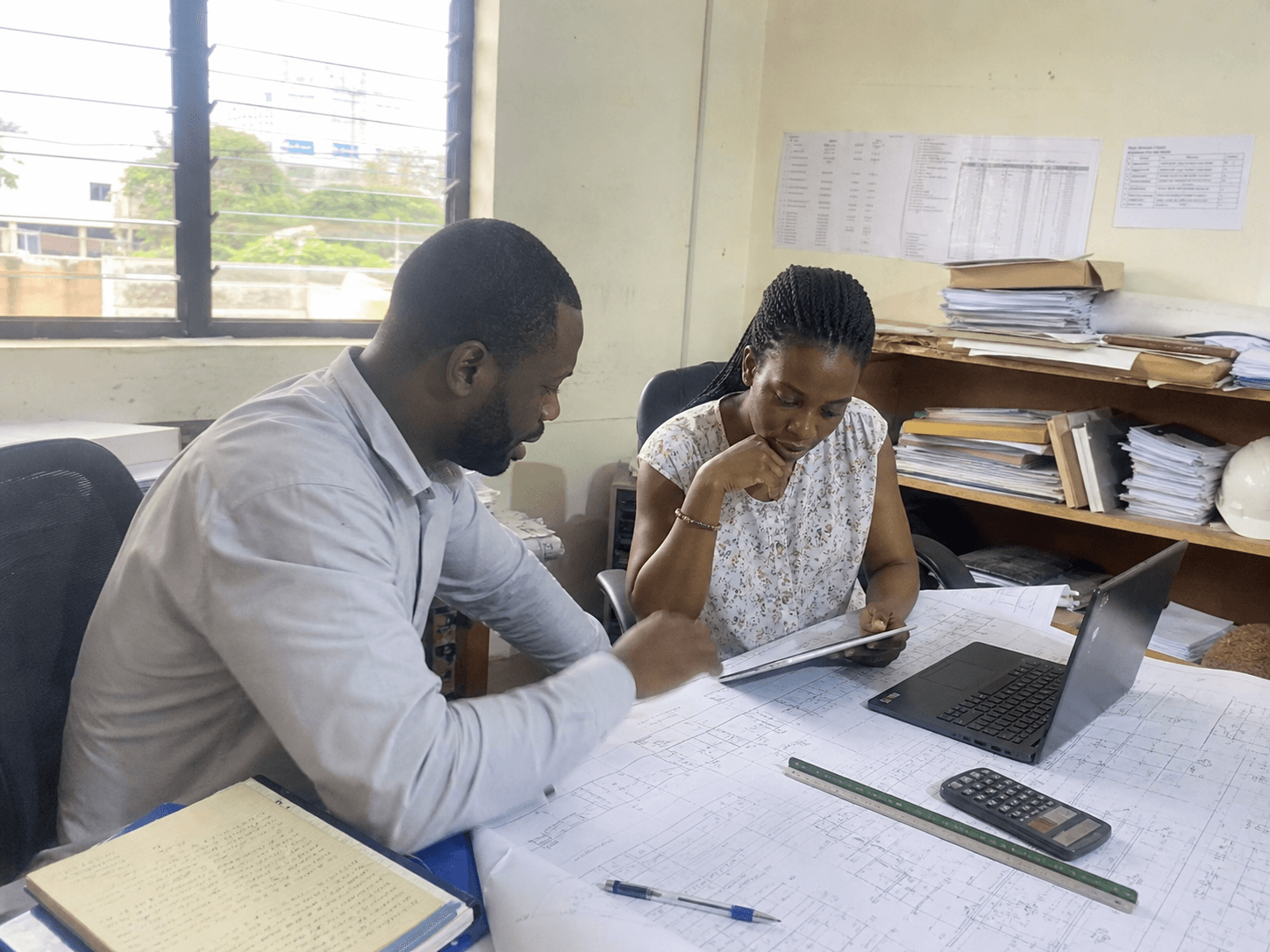
Projects and site records
projects
Tasks, reports, drawings, approvals, files, and site activity stay inside the project record.

Quantities, estimates, and BOQs
quantities
Import BOQs, enrich them with Ghana rates, sync measured quantities, and keep assumptions tied to the drawings behind them.

AI agents and project context
AI agents
Natural-language agents search project files, rates, estimates, BOQs, and indexed documents with sources.
What changes with Buildria
Spend less time chasing updates.
Keep using the files and tools your team knows, while Buildria keeps pursuits, delivery, cost work, and company knowledge easier to follow.
See Buildria in actionToday
RFPs, deadlines, experience sheets, and proposal decisions are split between inboxes, folders, and trackers.
With Buildria
One pursuit record carries the opportunity from qualification and go / no-go through proposal and project handover.
Today
Drawings, RFIs, site evidence, correspondence, and approvals live in different places with different owners.
With Buildria
One controlled project record keeps the office, site, consultants, contractors, and client aligned.
Today
Takeoffs, rates, estimates, BOQs, changes, and payment records are copied between spreadsheets and reports.
With Buildria
Quantities, cost decisions, procurement, variations, valuations, and closeout stay linked to the work behind them.
Today
Finding an answer often means hunting for the right file or calling the one person who remembers what happened.
With Buildria
Source-backed answers draw from governed project and company records, so knowledge remains useful after handover.
From pursuit to closeout
The tools each team needs, tied to the same project.
Each team gets a focused workspace, while decisions, documents, costs, and company knowledge remain easy to trace.
Business Development
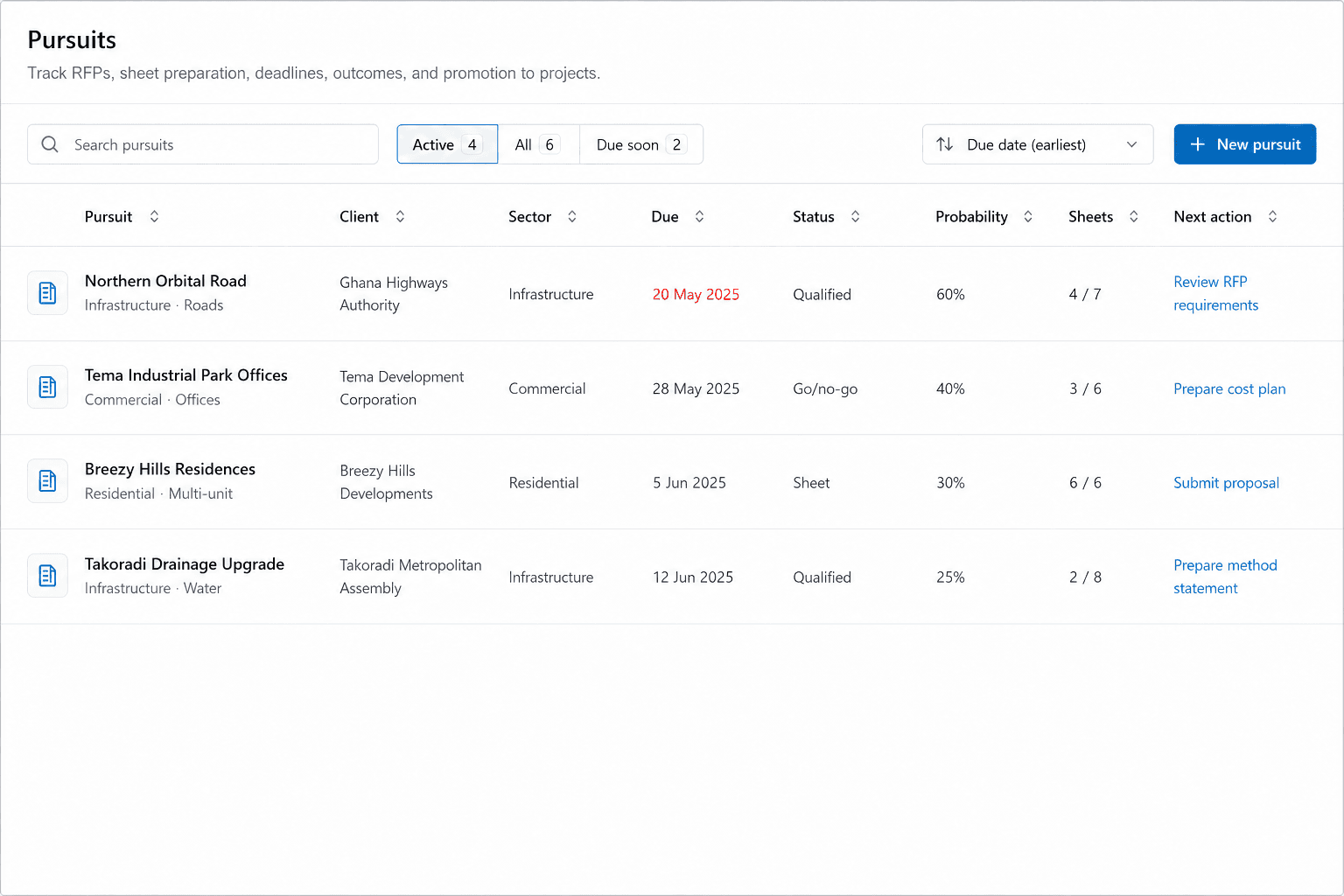
Choose work worth pursuing and prepare a strong bid.
From first lead to project handover
Keep opportunities, RFP requirements, go / no-go decisions, experience records, proposal work, and deadlines in one pursuit record that can move into delivery.
- Pipeline, calendar, and pursuit teams
- RFP fit and go / no-go review
- Experience sheets, proposals, and handover
 01
01Projects & Field
Deliver the work without losing the decisions behind it.
One record for the office, site, and client
Coordinate documents and decisions, see field activity by location, manage stakeholders and concerns, and verify site presence with a clear history and controlled access.
- Project workspace and controlled records
- Field Map, stakeholders, and grievances
- GPS-verified attendance and site presence
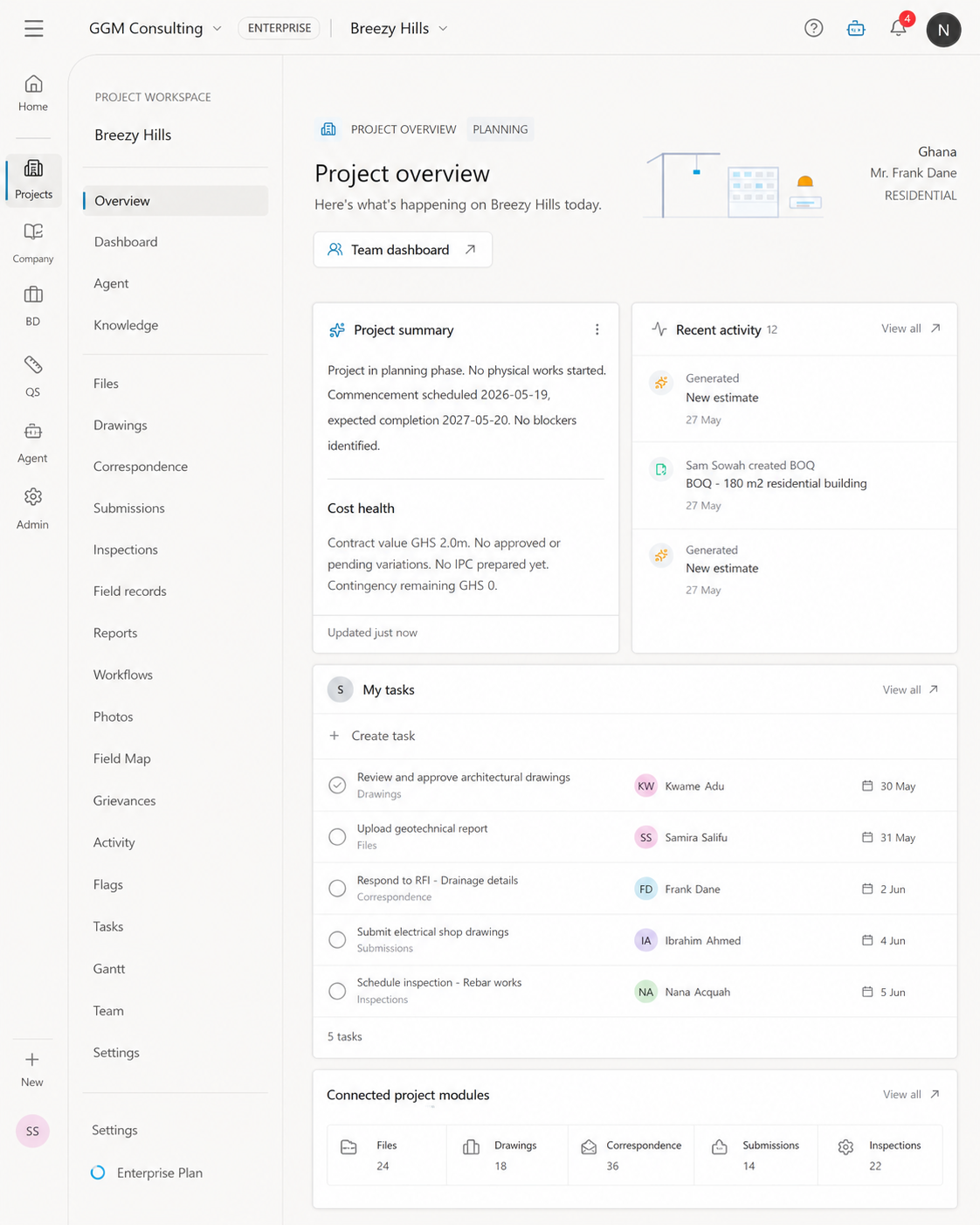
Project workspace
01 / 04
QS & Estimation
Edit the document. Sign it. Measure the work.
From drawing takeoff to estimate
Use Quantify as a complete PDF workspace for editing, markup, forms, and signatures, then continue into drawing or model takeoff, Ghana rates, estimates, and BOQs when the work needs QS depth.
- PDF editing, markup, fill, and sign
- 2D drawing and 3D model takeoff
- Ghana rates, estimates, and BOQ handoff
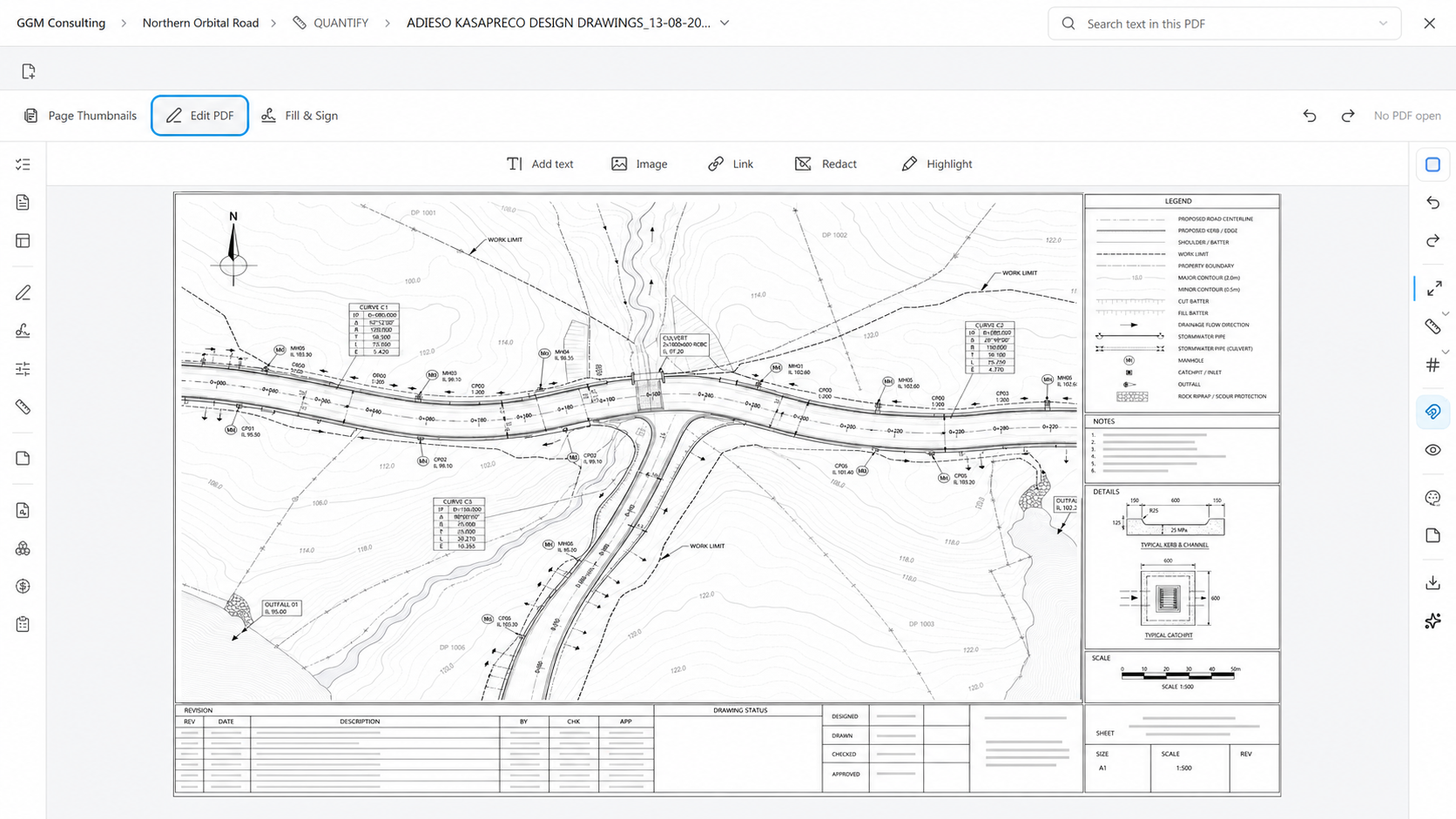
PDF editor
01 / 04
AI & Knowledge
Find the answer and keep it for the next job.
Company knowledge with the source attached
Search project files, activity, commercial records, pursuits, procedures, and company experience while keeping sources, permissions, and professional review visible.
- Source-backed project and portfolio answers
- Reusable experience, procedures, and reports
- Company records, permissions, and human review
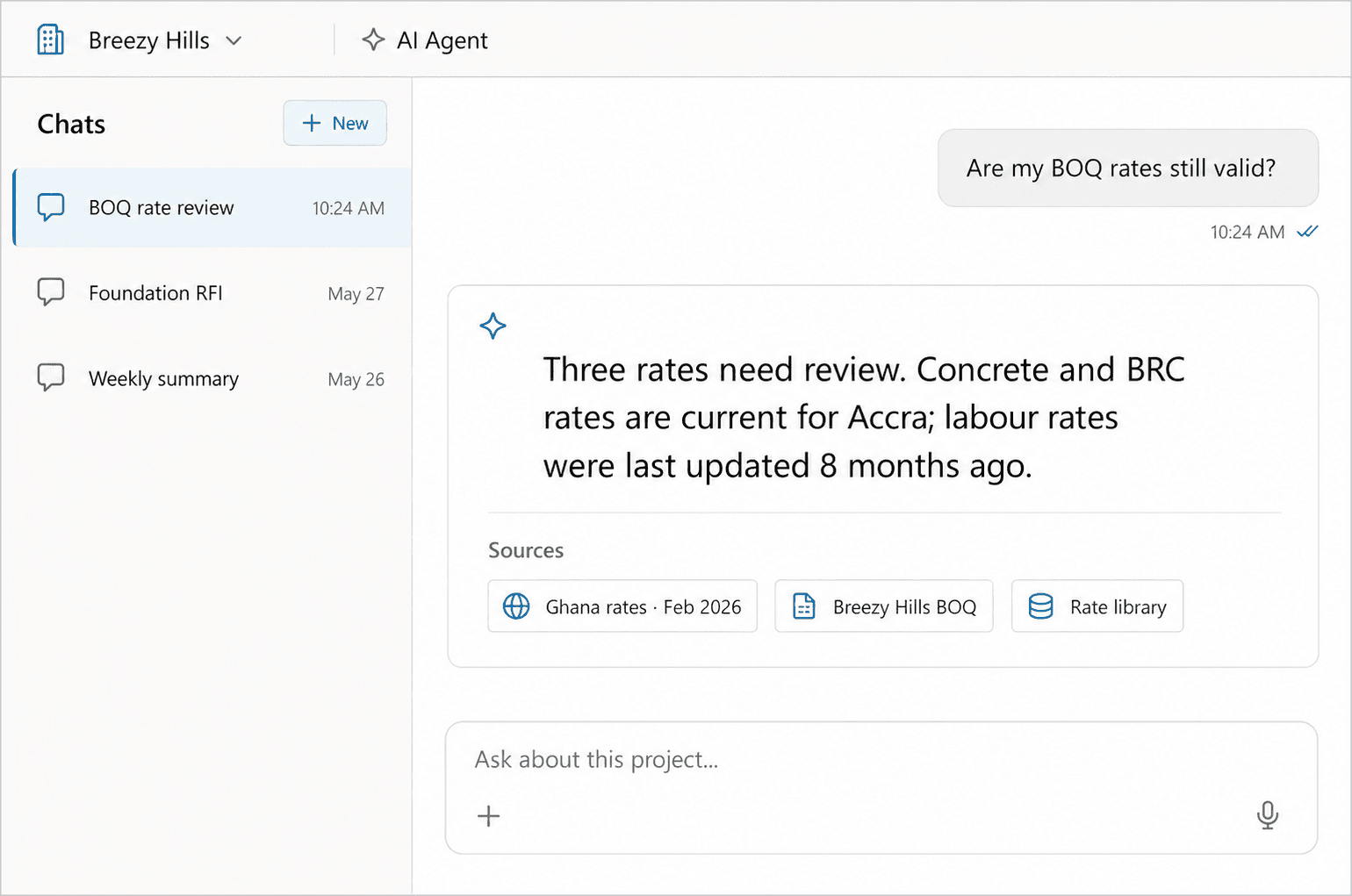 04
04How the work moves
See how a project moves through Buildria.
Pursuit01
Qualify the opportunity
Bring the RFP, requirements, relevant experience, deadlines, and go / no-go decision into one pursuit record.
Mobilise02
Start with a controlled record
Move the awarded work into a project workspace with the team, drawings, responsibilities, and approvals already visible.
Deliver03
Keep the work, people, and cost connected
Quantities, RFIs, stakeholder actions, site records, changes, and approvals stay visible as the project moves.
Close & reuse04
Close the account and keep the learning
Final records, commercial closeout, reports, and sourced answers strengthen the next project, proposal, and company decision.
Explore all features
The Features page carries the detailed workflows, controls, and tools.
Review it. Report it. Move it forward.
Buildria AI helps project teams find answers in standards and contracts, review documents, turn daily reports into monthly reports, and prepare the next action faster.
Learn more about Buildria AIWhat does the Ghana Road Design Guide require for this drainage detail?
The relevant requirement has been found.Review the cited guidance and drawing before you issue the site instruction.
Sources used Ghana Road Design Guide · Drainage D-104 · Drainage detail Site report · 14 August
Suggested next actions
Draft an RFIAdd a review task
Integrations
Buildria works with the files and tools your team already uses.
PDF
IFC
Excel
DWG
Word
Email
Photos
CSV
BOQ imports
Rate libraries
Project exports
Controlled files
Buildria app
Your project workspace, one tap away.
Install Buildria on your desktop, phone, or tablet for a focused app experience and a faster way back to the work. No app store required.
Desktop Mobile & tablet
Works in supported versions of Chrome, Edge, Safari, and Android browsers.
Ready from your home screen
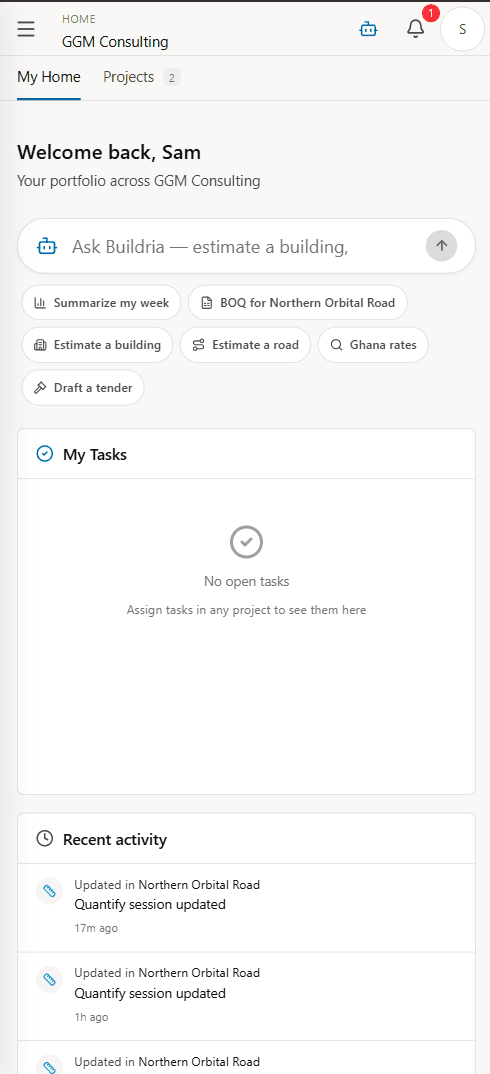
FAQ
Common questions, straight answers.
Have a question that is not covered here? Reach out and we will get back to you within one business day.
Contact usYes. A team can begin with business development, project delivery, field reporting, document control, or QS and commercial work, then connect more workflows when the record is ready to expand.
Keep the next project better informed than the last.
Use the same record to prepare the bid, deliver the work, manage costs, and keep what the team learned.
Start buildingRole-based accessProfessional review